


posted 14th October 2026
THIS COULD HAVE BEEN AVOIDED!
A customer recently had to bring back a black and a colour cartridge to be exchanged. Their HP printer had downloaded a firmware update, which BLOCKED the cartridges from working.
If automatic updates had been turned OFF, their spare cartridges would have carried on working, and they wouldn't have had to come back to get it sorted. This problem was caused by HP, NOT the cartridges!
NO SCREEN ON YOUR PRINTER? NO HP SMART APP?
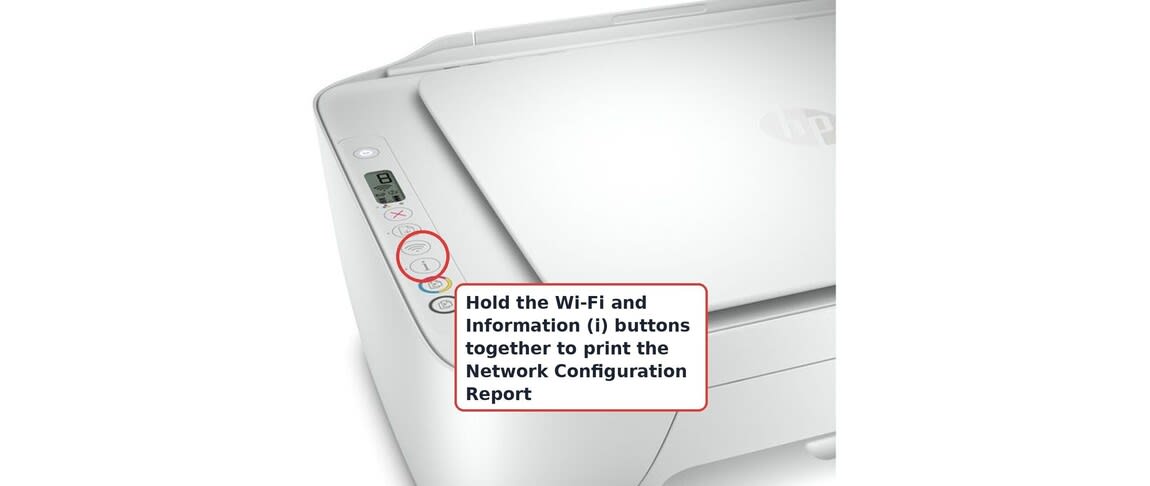
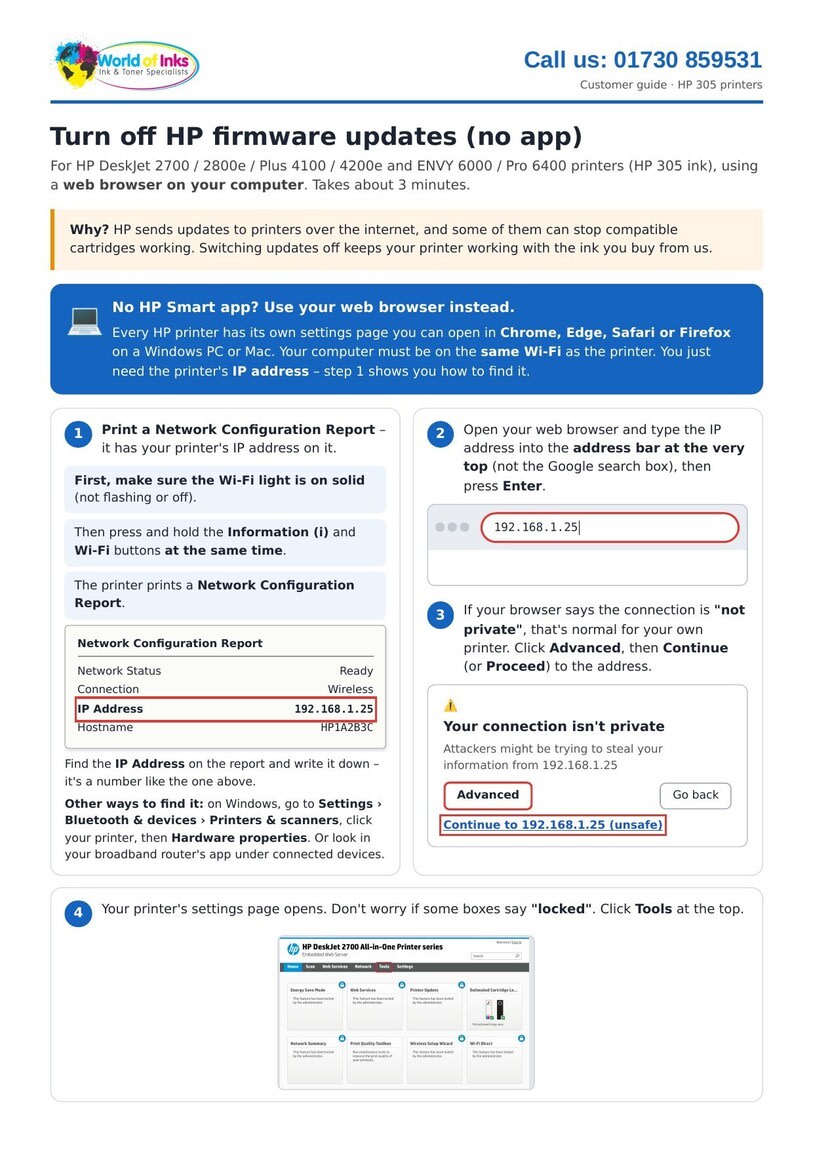
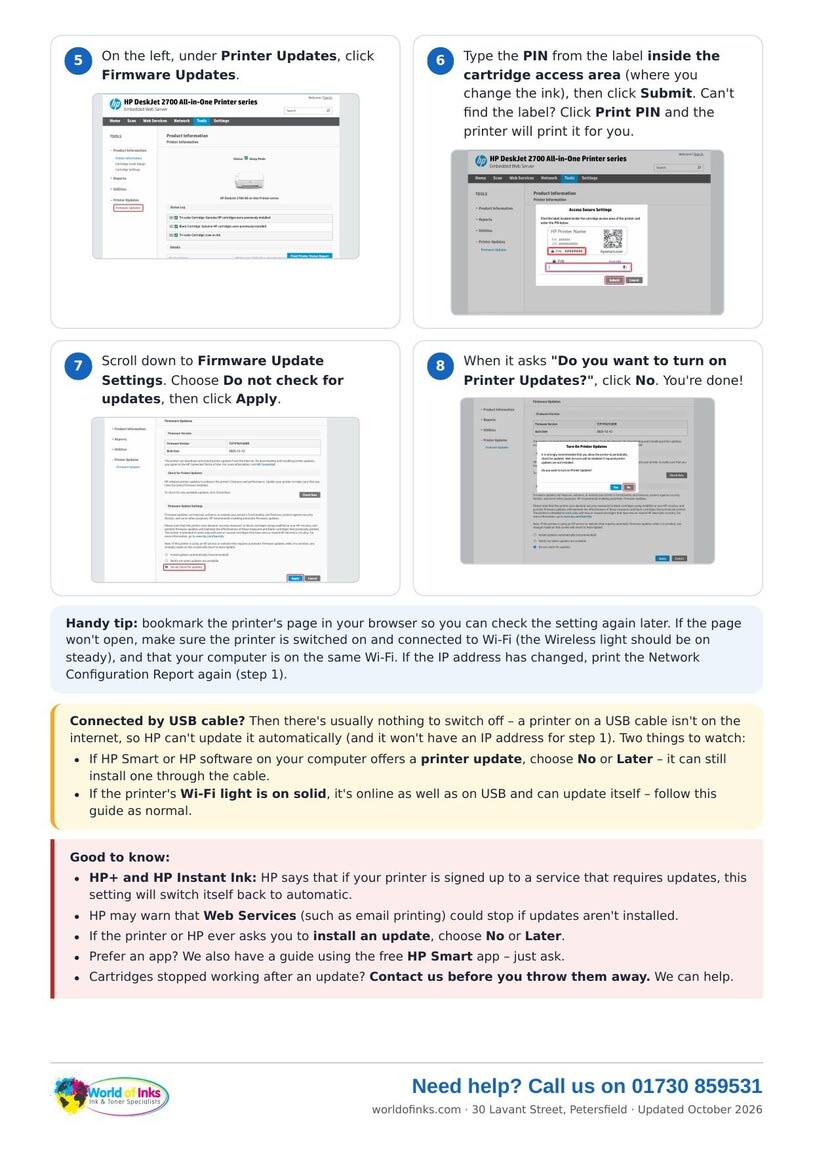
You can still turn updates OFF. Every HP printer has its own settings page that you can open in a web browser on your computer (Chrome, Edge, Safari or Firefox). All you need is the printer's IP address, and our step-by-step guide below shows you how. It only takes about 3 minutes.
Prefer to use the app? See our HP Smart app guide.
CARTRIDGES STOPPED WORKING AFTER AN UPDATE?
Contact us before you throw them away - we can help. We can also talk you through turning updates off over the phone.
If you need any help, please contact us 01730 859531